
By Xander Mol, xander@xandermol.com
Introduction

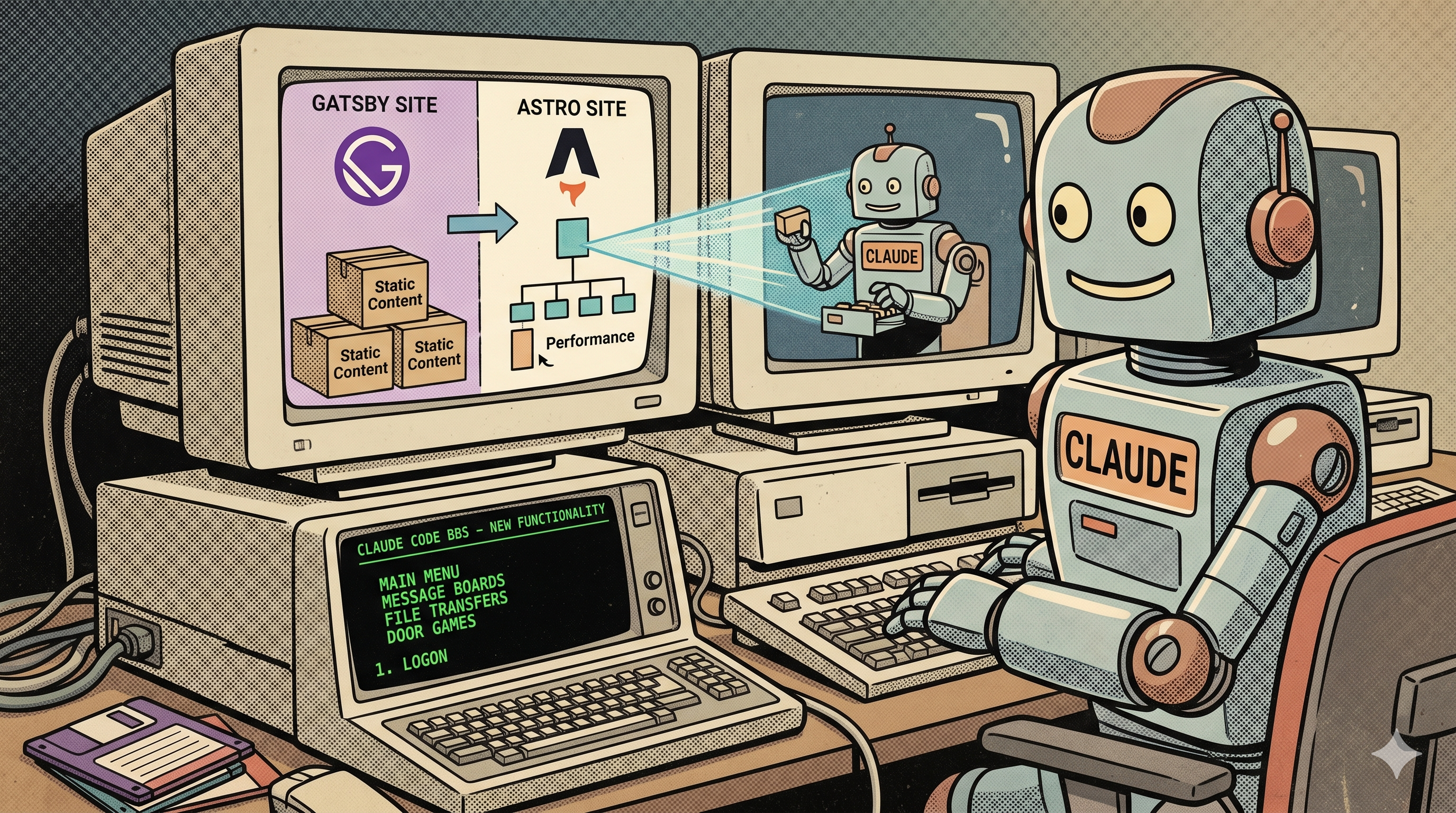
When the time came to overhaul IDreamtIn8Bits.com, I had two goals. The first was practical: move away from a stack that had grown inconvenient and add features I had wanted for some time. The second was more of an experiment: could Claude Code -- Anthropic's AI coding assistant -- genuinely carry the implementation work on a real, full-scope website rebuild? Not a toy project, but a live site with content, third-party integrations, and some requirements that had no ready-made template to follow.
This article describes what was built, how the decisions were made, what worked, and where the real complexity lay. Claude wrote essentially all the code; the design decisions and requirements were mine.
The Old Site: Gatsby and Contentful

The original IDreamtIn8Bits.com was built with Gatsby, a React-based static site generator, with content managed via Contentful, a hosted headless CMS. At the time this was a reasonable choice: Gatsby had a large ecosystem, and Contentful offered a workable free tier for a personal site.
Over time, several limitations made the setup feel heavier than it needed to be. Contentful's free tier has entry and media limits that become constraining as a site grows. Gatsby fetches all content from Contentful's API at build time, which makes builds slow and occasionally unreliable. Content living in a third-party service -- rather than in the repository alongside the code -- adds operational friction: you need the CMS to be available, its API to behave, and you cannot version your content the same way you version your code. Gatsby's ecosystem, while large, had also accumulated significant complexity over time.
None of these were blockers, but collectively they made the site feel more expensive to maintain than its function warranted.
Choosing the New Stack
The requirements for the new site were: server-side rendering for dynamic pages without a full rebuild cycle; a CMS requiring no external service dependency; AWS hosting; a modern CSS framework; and static full-text search without a paid third-party service.

Astro was the clear choice for the framework. It is content-first by design, supports SSR via platform-specific adapters, and its component model is clean and easy to reason about. Unlike Gatsby, Astro does not impose React everywhere -- components use Astro's own format by default, with other frameworks available where specifically needed. The result is less JavaScript shipped to the browser by default.
Keystatic (by Thinkmill) replaced Contentful as the CMS. It is git-based: content lives in the repository as Markdoc files, and Keystatic provides an admin UI for editing without touching files directly. In production it commits changes to GitHub via the GitHub API. There is no external service, no per-seat cost, no API key to manage. Content and code live together and are versioned together.

Tailwind CSS v4 handles styling via PostCSS. Version 4 introduced several changes from v3, including a CSS-based configuration approach, which required some adjustment in the Astro integration.

Pagefind provides full-text search. It generates a static index at build time that the browser queries entirely client-side, with no backend or third-party service involved.

Cloudflare Turnstile protects the contact form from bots.

AWS Amplify hosts the site with automatic deployments from GitHub. Email is sent via Amazon SES.
Beyond replacing what existed, the migration was also the occasion to add features that had not been practical with the old stack: a full Telnet BBS for retro computers, a Meatloaf file server endpoint, a photo gallery, a video section, and a projects listing.
Architecture Overview
The diagram below shows how the components fit together.
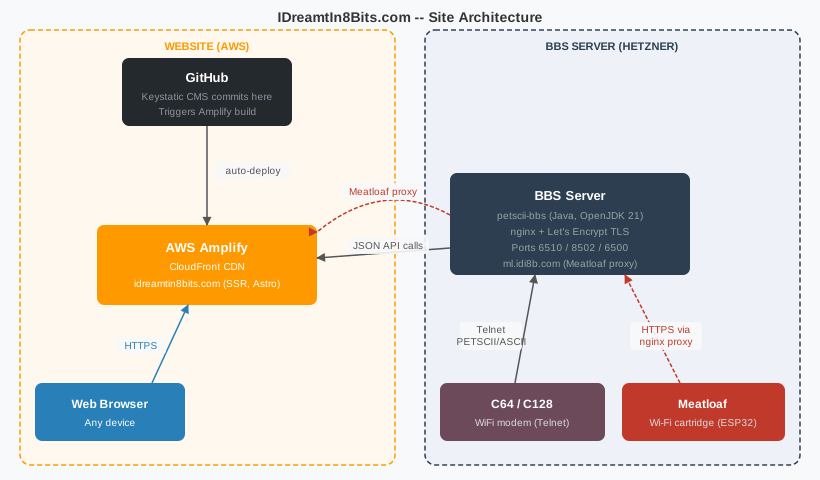
The website runs on AWS Amplify and is rebuilt automatically on each push to the GitHub repository. The BBS runs on a separate Hetzner Cloud server and fetches content from the website's JSON API. Meatloaf devices connect via an nginx proxy on the BBS server that provides a TLS certificate the device firmware trusts -- more on this in the Meatloaf section below.
The Migration: Working with Claude
The workflow throughout was consistent: I described what I wanted -- sometimes in terms of behaviour, sometimes in terms of technical approach -- and Claude Code implemented it. For larger pieces of work I reviewed the proposed architecture before implementation began. For smaller changes, implementation and review happened in a single step.
This division of labour is genuinely practical for a migration. A large part of rebuilding a site is code that is correct and complete but not particularly creative: content schema definitions, API route handlers, component layouts, CMS configuration, build scripts. Having an assistant that writes this accurately from a description saves time. The more interesting work -- design decisions, debugging unexpected framework behaviour, deciding what to build and how it should feel -- remained human.
The BBS and Meatloaf features below are the clearest examples: neither had a ready-made template. Requirements were explained, architecture discussed, Claude implemented, and I reviewed and iterated on behaviour. The iteration was on what the software did, not on whether the plumbing connected.
Technical Challenges
Astro 5 and the AWS Amplify Adapter
The first significant obstacle was a compatibility problem. The astro-aws-amplify adapter at version 0.4.0 references an internal Astro API -- astro/app/entrypoint -- that was removed in Astro 5. The fix required patching the adapter's server entry file to use the current equivalent from astro/app/node. The patch is applied to the installed package and documented in the project so it is not forgotten when dependencies are updated.
Vite 6 and ESM/CJS Module Compatibility
Astro 5 uses Vite 6, which changed how server-side module bundling works. Packages in the vite.ssr.noExternal configuration are inlined by Vite's bundler and executed as ES modules. Any package that ships only CommonJS -- no "import" export condition in its package.json -- crashes in development with ReferenceError: exports is not defined. In production, esbuild handles the interop automatically, so the failure is development-only and easy to miss until you hit it.
The check is straightforward: before adding a package to noExternal, verify that its package.json has an "import" exports condition. If it does not, it must stay out of noExternal.
Content Collections and Image Handling
Astro's content collections with the image() schema helper resolve image paths at build time. The path stored in a .mdoc frontmatter file is relative to the file's location; Astro resolves it to an ImageMetadata object carrying the image dimensions and an optimised source URL. Components receive this directly and never need to look up image paths manually.
The CMS stores uploaded images using a directory (where it writes files) and a publicPath (the prefix stored in frontmatter). Aligning these so that Astro's resolver and the CMS's written paths agreed required careful configuration on both sides. Blog images are organised into per-post subfolders -- one folder named after the post slug -- which keeps the image tree navigable as the number of posts grows.
Search in an SSR Site
Pagefind generates a static search index from HTML files. In an SSR site there are no pre-built HTML files on disk during development, so the index only exists after a production build. Search is therefore intentionally non-functional in development -- the search overlay shows a message explaining this. After a production build, a custom Node.js script reads all .mdoc files, parses their content, and writes the Pagefind index to the correct output directory.
Contact Form Bot Protection
The contact form uses multiple layers of bot protection combined with Cloudflare Turnstile server-side token verification and standard field validation. All private credentials are server-side environment variables not exposed to the client.
New Feature: The BBS
What is a BBS?
A bulletin board system (BBS) is a server that users connect to using a modem and terminal software. BBS culture peaked in the 1980s and early 1990s. On a Commodore 64 or 128 with a modern WiFi modem, connecting to a BBS today gives the same character-mode interface that existed then -- PETSCII graphics, colour codes, and all.
Why Build One?
The site is about retro computers. Running a BBS means visitors with actual retro hardware can read the latest blog posts, browse the file archive, and play the trivia quiz on a genuine C64 or C128, without a web browser. It is both a practical feature and a demonstration of what is still possible with 1980s hardware and modern infrastructure.
The petscii-bbs Framework
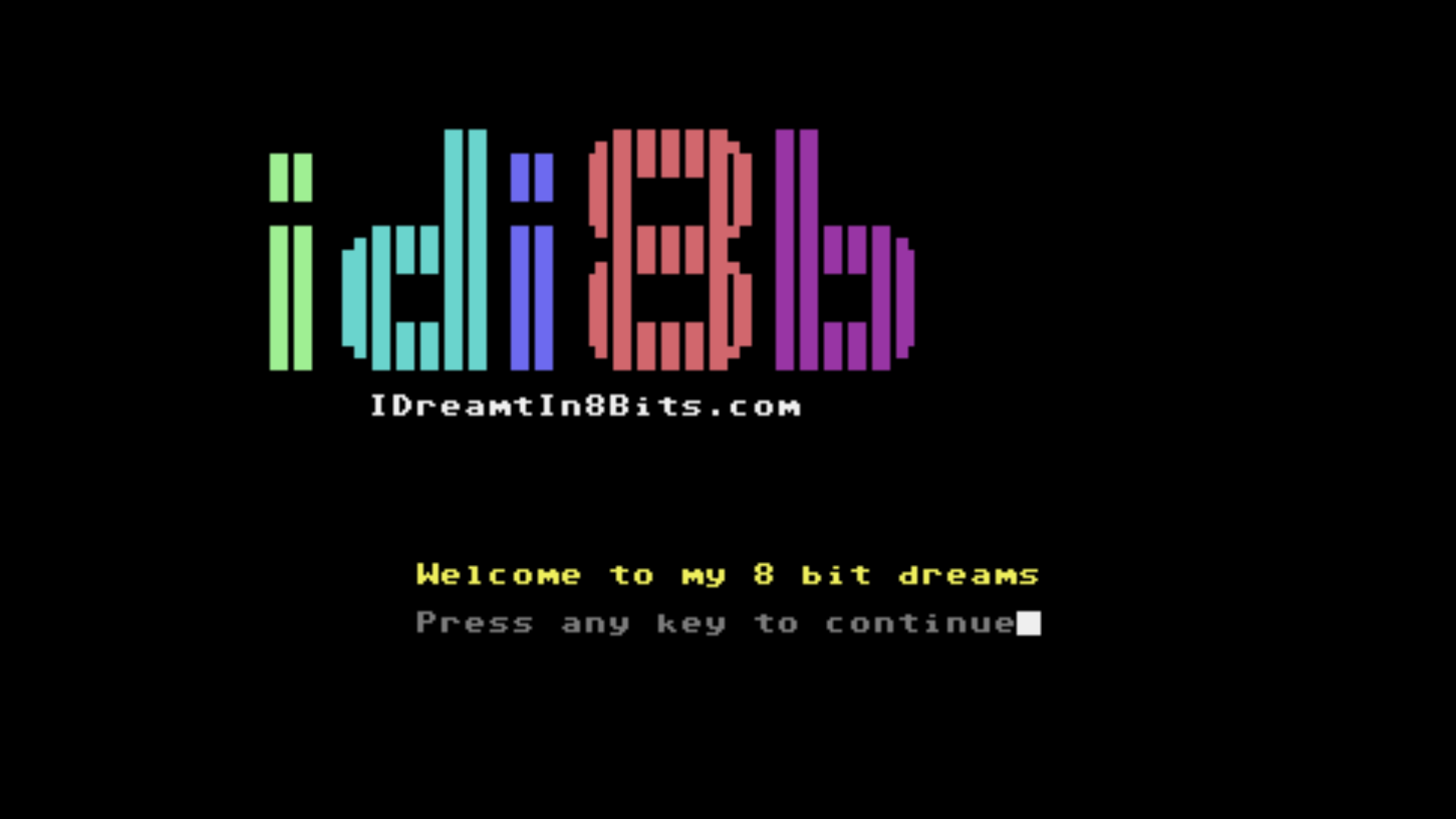
The BBS is built on petscii-bbs, a Java framework by Francesco Sblendorio. The framework handles all low-level concerns: Telnet connections, PETSCII terminal encoding, and the network layer. Application code extends PetsciiThread or AsciiThread and implements a doLoop() method containing the section logic. You write Java that calls println(), readKey(), and cls(), and the framework handles the rest.

The BBS is built with Apache Maven into a self-contained fat JAR and deployed to a Hetzner Cloud VPS running OpenJDK 21. The BBS and the website run on entirely separate infrastructure: the BBS server fetches content from the website's public API over HTTPS.
Three Terminal Types
The framework runs three BBSes from a single JAR, each optimised for a different terminal:
- PETSCII 40-column on port 6510 -- for the Commodore 64 and any PETSCII 40-column terminal. The port number references the MOS 6510 CPU in the C64.
- PETSCII 80-column VDC on port 8502 -- for the Commodore 128 in VDC 80-column mode. Port 8502 references the MOS 8502 CPU in the C128.
- ASCII/ANSI on port 6500 -- for any ASCII or ANSI-capable terminal, including Spectrum, Acorn, Oric, and BBC Micro machines, as well as modern clients such as PuTTY or NetRunner.
Each terminal type has its own set of section classes sized and formatted for the column width and character set of that terminal.
BBS Sections
The BBS currently offers the following sections:
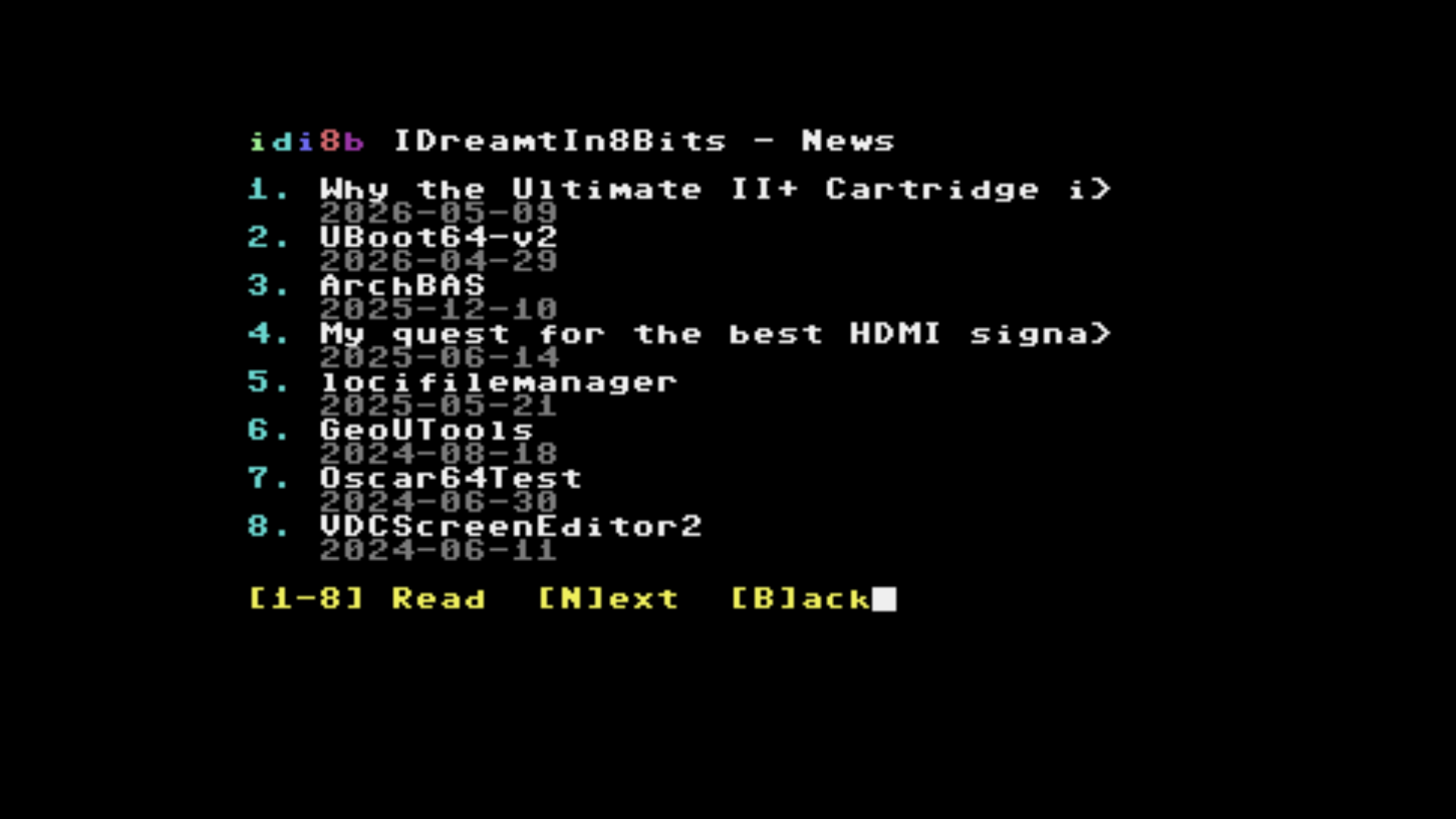
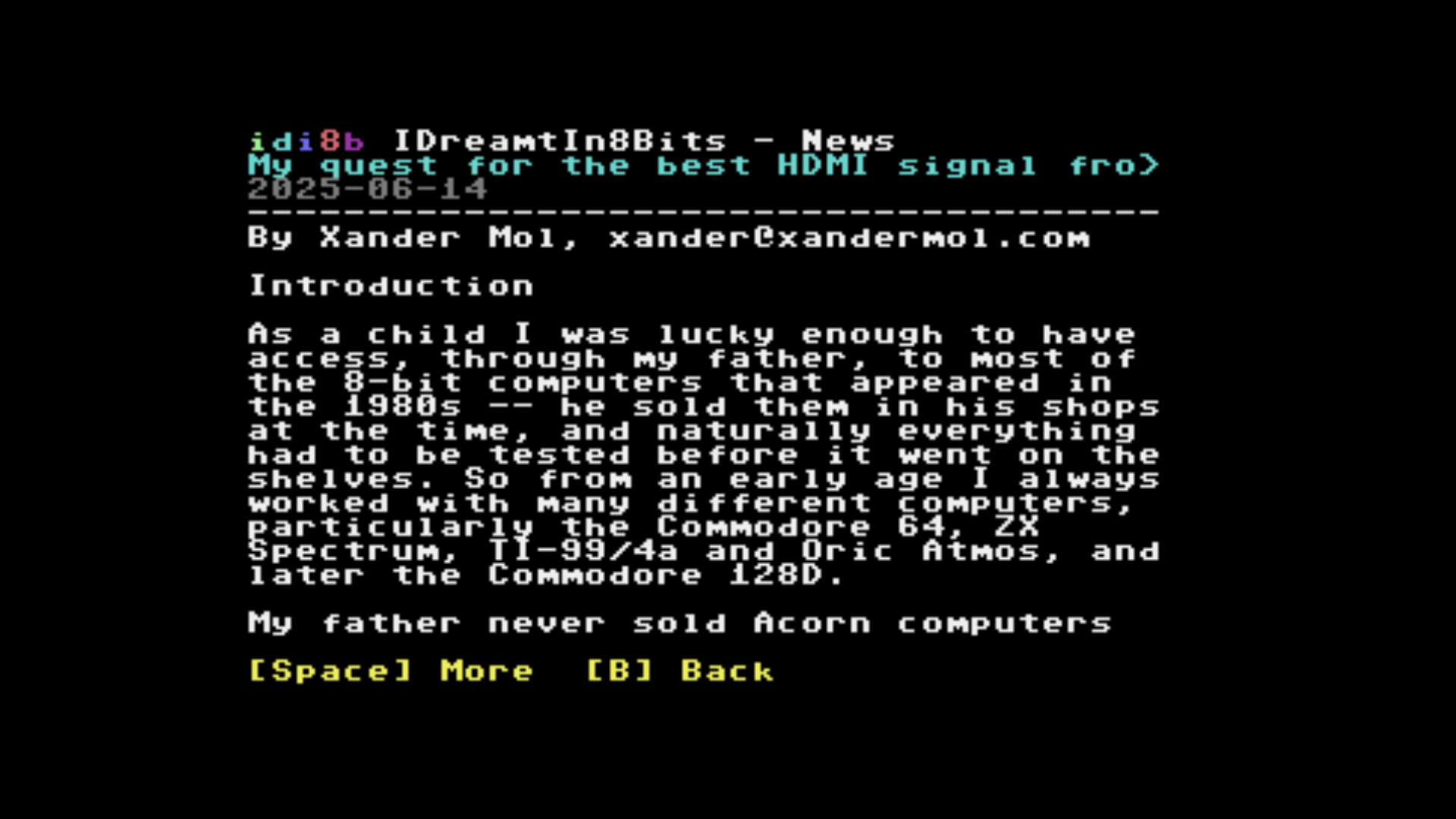
News -- fetches the latest blog posts and projects from the website's JSON API and displays them in a paginated single-keypress reader.
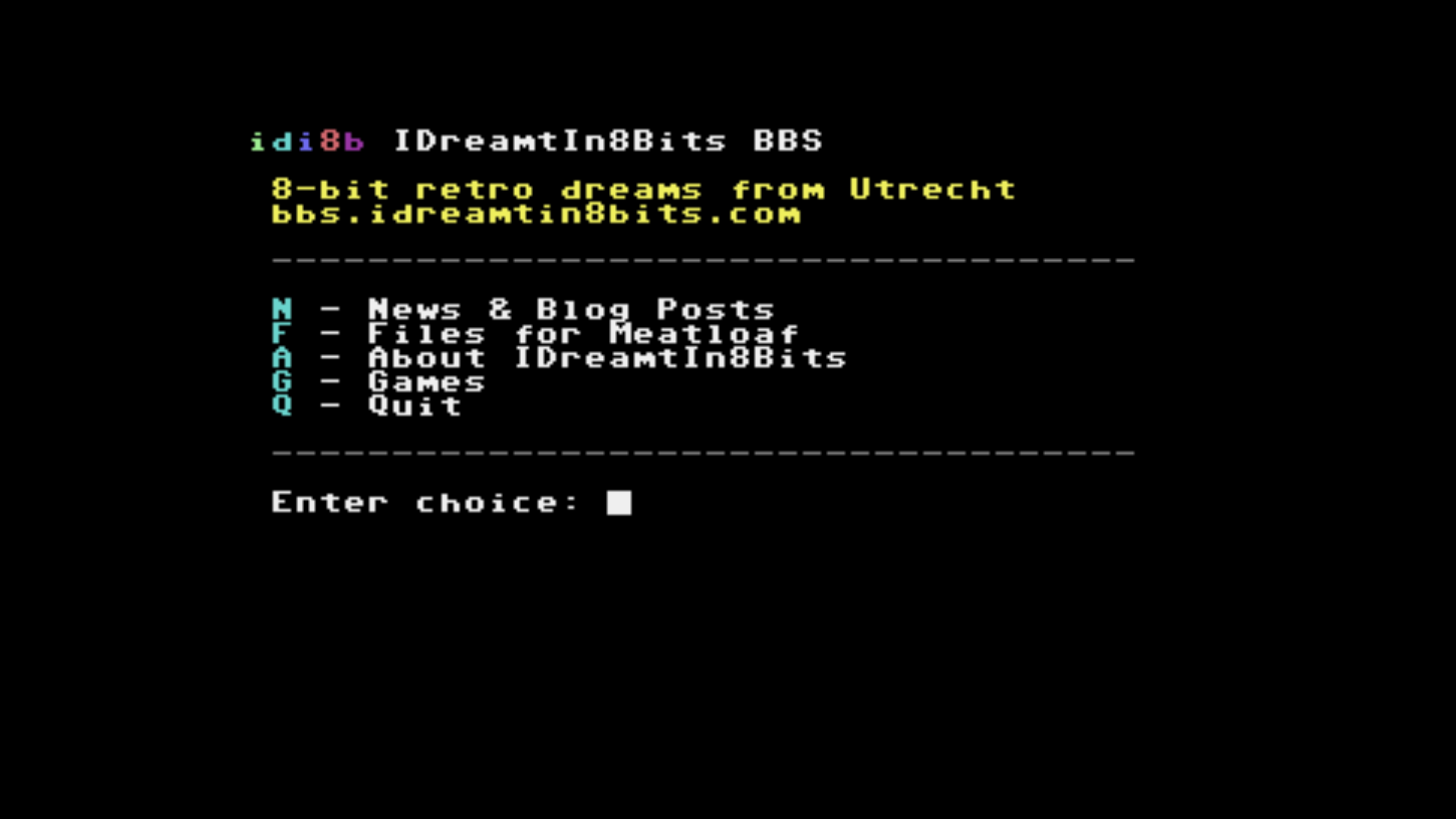
Files -- displays the retro file archive organized by platform and application. At the platform level the section lists applications by their CMS display names. Inside an application, the name, release date, and short description are shown before the file listing. Meatloaf LOAD commands are shown only for file types the device can load and only on Meatloaf-compatible platforms; other files show a browser download URL instead.
About -- shows information about the site and sysop, fetched from the same API.
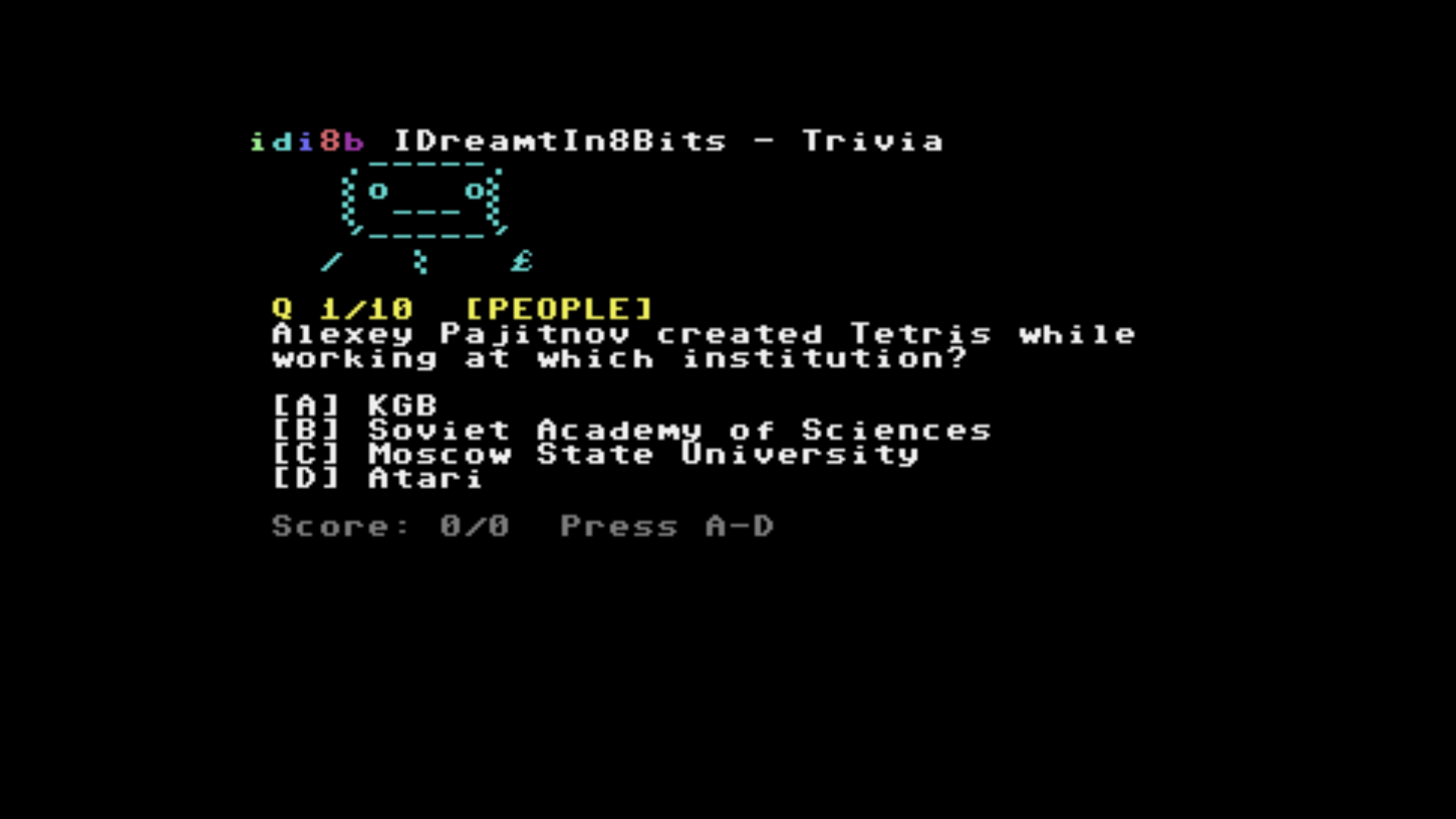
Games -- three quiz games, each with 10 questions per session and a persistent top-10 leaderboard ranked by score then time. All question banks are fetched from the website's JSON API at game start and backed by Keystatic CMS collections, so the banks can be extended without recompiling or redeploying the BBS.
Trivia -- 101 questions across five categories: platforms, games, hardware, people, and software.
Name That Machine -- 25 8-bit home computers from twelve manufacturers. Each round a machine is chosen at random and its specifications revealed one clue at a time, from hardest (number of sound voices, hi-res resolution) to easiest (release year, launch price). Three randomly selected wrong answers from the same bank complete a four-option question. Fewer clues used means more points: 7-5-3-2-1 for clues 1 through 5. The fifth and final clue is always the actual chip names -- a guaranteed floor if the earlier clues were insufficient. Maximum 70 points per session.
BASIC Listing Quiz -- 56 questions across seven BASIC dialects: Commodore 64 BASIC 2.0, Spectrum BASIC, Oric BASIC, C128 BASIC 7.0, Plus/4 BASIC 3.5, BBC BASIC, and Atari BASIC. A short listing is shown and one of four question types asked: what does this print, what does it do, what bug does it contain, or which machine's BASIC is this? Three points per correct answer, maximum 30 per session. Listings with lines that exceed the 40-column terminal width are flagged as wide and excluded from PETSCII 40-col mode automatically; the 80-column modes see the full bank.
The Website-BBS API Integration
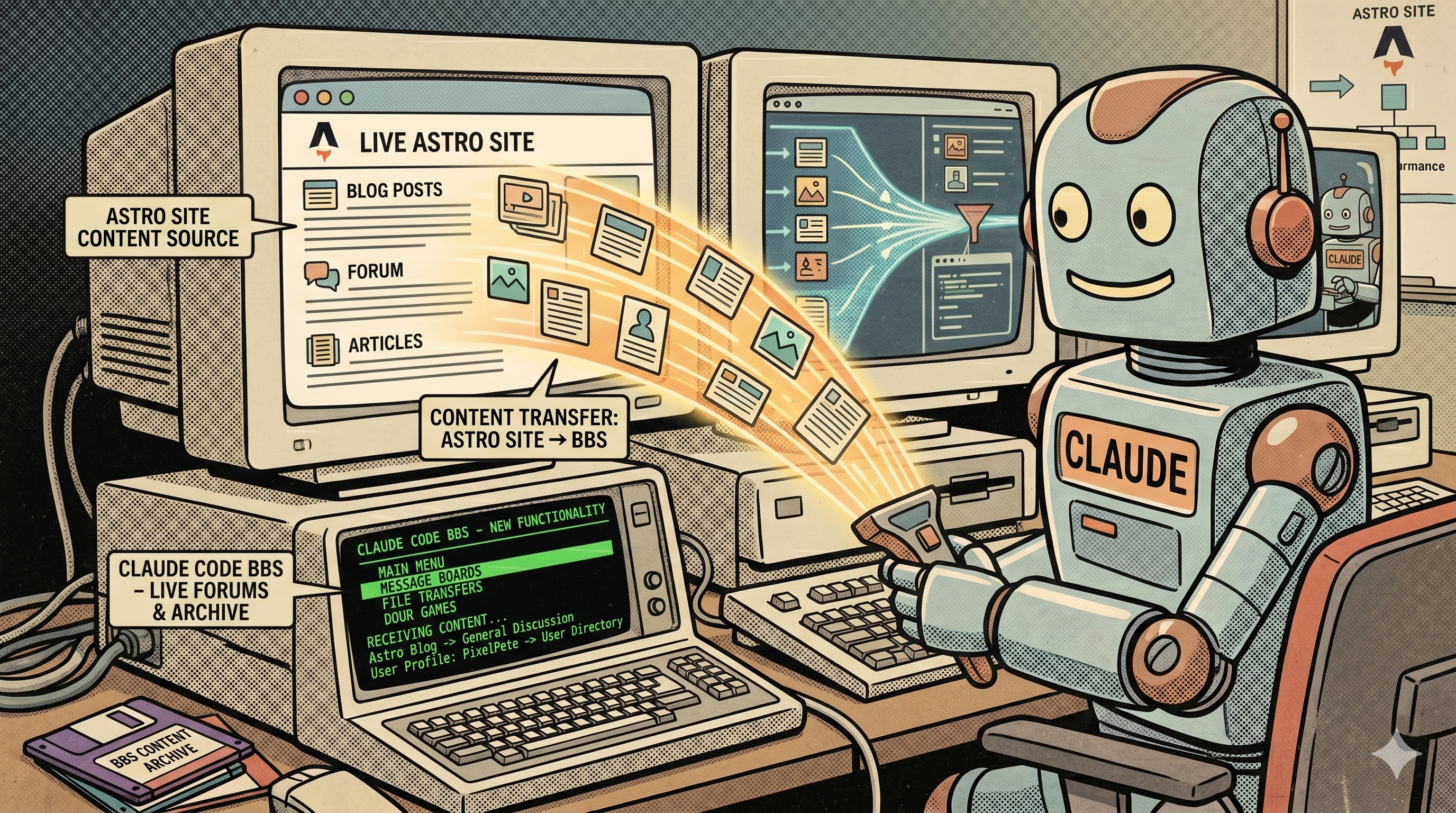
The BBS pulls content from several JSON endpoints on the main site. /api/c64-feed.json returns blog posts and projects as plain text, with Markdown formatting removed and Unicode characters converted to ASCII equivalents -- BBS terminals cannot render Unicode, so characters like curly quotes and dashes are mapped to plain ASCII before the response is built. /api/files-feed.json returns the file archive listing with filenames and sizes. /api/applications-feed.json supplies CMS display names and metadata for the file browser.
Three further endpoints serve the game question banks: /api/trivia-feed.json, /api/namethatmachine-feed.json, and /api/basiclisting-feed.json. Each returns a JSON array fetched fresh at game start. New questions added to the CMS via Keystatic are available on the next game without a BBS restart or JAR rebuild.
One non-obvious issue during development was a bug in Apache Commons Text's WordUtils.wrap() method: it does not reset its line-length counter on encountering a newline character, so the first line of every paragraph after the first comes out shorter than the intended column width. The fix is to split the text on paragraph breaks, wrap each paragraph independently, then rejoin. All text wrapping in the BBS uses this approach.
BBS Server Reliability
Three operational measures were added to keep the BBS running reliably after the initial deployment.
Score file backup -- Trivia, Name That Machine, and BASIC Listing high scores are backed up hourly to a private GitHub repository via the GitHub Contents API. A shell script running as a cron job base64-encodes each score file and PUTs it to the API, supplying the file SHA required for in-place updates. The same repository is the restore source after a server rebuild. The GitHub personal access token used is a fine-grained token scoped to that repository only, with no access to the BBS source code repository.
Health monitoring -- A script checks five systemd services, three TCP ports, and two HTTPS endpoints 60 seconds after every reboot. Pass or fail, the result is sent as a push notification via ntfy.sh. The petscii-bbs systemd unit has an OnFailure= handler that fires a separate crash notification to the same topic, independent of the reboot check.
Automatic security updates -- unattended-upgrades is configured to apply security patches automatically with no auto-reboot, keeping the server current without requiring manual intervention for routine updates.
New Feature: The Meatloaf Endpoint
What is Meatloaf?
Meatloaf (GitHub) is a Wi-Fi IEC device for Commodore computers, developed by idolpx. It connects to the IEC serial bus and presents itself to the Commodore as a disk drive. Instead of reading a physical disk, it fetches files from URLs over Wi-Fi. On a C64 or C128, typing LOAD"HTTPS://ML.IDI8B.COM",8 at the BASIC prompt fetches the IDreamtIn8Bits file archive directory over the internet, exactly as if it were a disk.
Meatloaf also supports shortcodes: LOAD"ML:IDI8B",8 resolves to the same archive via a registered short alias. Individual files can be loaded directly by appending a filename to the path.
The Directory Listing Endpoint
When a Meatloaf device requests the /files/ URL, the Astro endpoint returns a Commodore BASIC PRG binary that encodes a directory listing. This is the same format a real Commodore 1541 disk drive uses to present a disk directory -- a sequence of BASIC lines, each containing a block count, a quoted filename, and a file-type tag. To the Commodore's BASIC interpreter, this binary is indistinguishable from a directory read from a real drive.
The endpoint detects Meatloaf requests by checking for MEATLOAF in the User-Agent header. Any other visitor receives a plain HTML information page from the same URL.
The HTTPS Proxy
A non-obvious infrastructure problem arose from the TLS certificate chain. The main site is deployed on AWS Amplify, served via AWS CloudFront, which uses an Amazon Root CA certificate. The Meatloaf ESP32 firmware does not include Amazon Root CA in its trust store and therefore rejects the CloudFront certificate, causing the connection to fail.

The solution at the time was an nginx reverse proxy on the BBS server, fronted by a Let's Encrypt certificate. ISRG Root X1 (Let's Encrypt's root CA) was already trusted by the ESP32 firmware, so the proxy bridged the trust gap.
This workaround was later removed when Meatloaf firmware v1.4 added the Amazon Root CA to its trust store. Meatloaf devices now connect directly to the Astro endpoint on AWS at https://ml.idreamtin8bits.com/ (shortcode: ML:IDI8B). Astro middleware on the site rewrites requests from that hostname to the internal API endpoint, so no proxy is needed.
New Feature: The File Archive
Organization by Platform and Application
The site's file archive at /files/ organizes retro software by platform and then by application. Eight platforms are currently defined: Commodore 64, Commodore 128, Commodore Plus/4, GEOS, CP/M (C128 Z80 mode), Oric Atmos, Acorn Archimedes, and Texas Instruments TI-99/4a. Within each platform, individual applications each have their own page showing a description, release date, feature image, GitHub link, and the list of downloadable files with per-file action buttons.
CMS-Backed Platforms and Applications
Both platforms and applications are managed through two Keystatic CMS collections stored as Markdoc files in the repository. The platforms collection defines each platform's display name, short name for BBS display, sort order on the file archive landing page, and a flag indicating whether the platform supports the Meatloaf Wi-Fi IEC device. The applications collection stores metadata per application -- name, short description, full Markdoc description, feature image, release date, and GitHub link -- with the platform identified by its slug.
Adding a new platform requires creating one Markdoc file and one directory under public/files/. Adding a new application requires one Markdoc file and one subdirectory within the platform directory. No code changes are needed for either.
Depth-Based Page Routing
The file archive uses depth-based routing from a single Astro catch-all route (src/pages/files/[...path].astro). Depth 0 is the landing page, which shows a grid of platform cards. Depth 1 is a platform page, which shows a grid of application cards populated from the CMS, with folder entries that have no CMS entry falling back to plain links. Depth 2 is an application page, which renders the full CMS metadata -- feature image, name, date, short description as a lead paragraph, and the full Markdoc body -- followed by the file table. Depths beyond 2 fall back to a generic file table with breadcrumb.
Meatloaf Integration in the File Browser
On platforms that support Meatloaf (the five Commodore platforms), each file in the archive shows an ML button alongside the download button. Clicking it reveals the Meatloaf LOAD commands -- both the short URL form and the shortcode form -- with copy buttons. The ML button is suppressed under two conditions: the platform does not support Meatloaf, or the file extension is not in the list of types the Meatloaf firmware can load (.d64, .d71, .d81, .prg, .crt, .tap, .t64, .p00, .sid). Documentation files, archives, and other non-Commodore-loadable files show a download button only. The BBS FilesSection applies the same two-condition filter.
Technical Challenge: Files on CloudFront
A constraint came from the deployment architecture. Amplify deploys static files -- including everything in public/files/ -- to S3 and serves them via CloudFront. The Astro server-side Lambda function handles page requests separately and does not have access to those files on its filesystem. Calling fs.readdirSync() in a Lambda returns nothing.
The solution is import.meta.glob, Vite's build-time file discovery mechanism. At build time, the bundle resolves a glob pattern against the public/files/ tree and captures every file path and its CDN URL into a static manifest embedded in the Lambda bundle. At runtime, the server reads from this manifest rather than the filesystem. File sizes, which import.meta.glob does not capture, are read via fs.statSync in development and via HTTP HEAD requests to the CDN in production.
A related constraint: Astro content collection entry identifiers include the .mdoc file extension on this setup. Code that compares entry IDs against folder names -- for example, to match an application CMS entry to its file directory -- must strip the extension before comparison. The same applies to API responses that expose entry IDs to external consumers such as the BBS Java code.
New Feature: In-Browser BBS Terminal
The three Telnet modes described above require retro hardware or a desktop Telnet client. To make the BBS accessible directly from any browser -- on a desktop, phone, or tablet -- the /bbs page of the site now includes an in-browser terminal with PETSCII 40-col, PETSCII 80-col VDC, and ASCII 80-col modes selectable via a tab strip.
Architecture
Three WebSocket bridges run on the Hetzner server as systemd services, each forwarding raw bytes between a loopback WebSocket port and the corresponding BBS Telnet port:
- PETSCII 40-col (C64): WebSocket :6561 -- Telnet :6510
- PETSCII 80-col VDC (C128): WebSocket :6562 -- Telnet :8502
- ASCII 80-col: WebSocket :6563 -- Telnet :6500
websockify handles the bridging. The existing nginx configuration adds three WebSocket proxy locations that upgrade connections at /bbs-ws/petscii40/, /bbs-ws/petscii80/, and /bbs-ws/ascii/, forwarding them to the respective bridge ports. All three modes are accessible over the existing port 443 with the existing Let's Encrypt certificate -- no new firewall rules and no new certificates needed.
The browser-side terminal emulator is VTX (BSD-2 licence), a JavaScript BBS terminal emulator by codewar65. VTX supports PETSCII, ATASCII, and ANSI modes, renders to HTML canvases using retro bitmap fonts, and handles Telnet IAC negotiation. VTX assets -- fonts, icons, and the client script -- are served as static files from the Astro site.
Technical Challenges
Several problems were not apparent until the implementation ran in a real browser.
Dynamic loading: VTX registers its entire boot chain on window.load. Loaded dynamically after the page has already fired that event, the boot chain never starts. The fix is a two-line addition to vtxclient.js: check document.readyState === 'complete' and call bootVTX() directly. VTX's code lives inside a labeled block (vtx: { ... }) with 'use strict', so all its functions are block-scoped and not accessible from outside -- calling bootVTX() had to happen from within the same scope.
WebSocket subprotocol rejection: VTX requests Sec-WebSocket-Protocol: telnet in the WebSocket handshake. websockify 0.10 treats this as an invalid protocol and returns HTTP 400. The fix is to patch VTX to omit the subprotocol, since websockify accepts connections that request no specific protocol.
Blank screen after keypress: VTX's PETSCII clear-screen handler (code 0x93) removes all DOM row elements but did not reset the conCanvas array holding references to those elements. Subsequent renders reused the detached (invisible) canvas references instead of creating new canvases in the newly added DOM rows. Adding conCanvas = [] to the clear-screen handler resolved the blank-screen-on-every-keypress behaviour.
Splash screen skipped: With Telnet negotiation enabled, VTX sends IAC option bytes immediately on connection. These arrive in the BBS socket buffer before the user has pressed anything, and readKey() consumed them as the response to "press any key". The fix was a 300ms sleep followed by resetInput() before readKey() in all three main entry points (PetsciiMain, VDC80Main, AsciiMain), allowing negotiation to complete and discarding the buffered bytes before waiting for genuine user input.
The terminal card on the /bbs page includes zoom controls (1x through 2.5x via CSS transform) and a fullscreen button that moves the terminal into a fixed-position modal covering the entire viewport.
Reflections
The practical experience of using Claude Code as the primary implementer was positive. Claude is competent at writing correct, idiomatic code for established frameworks -- Astro components, API route handlers, BBS section logic, Maven build configuration -- and it maintains awareness of established conventions and constraints across a codebase.
Where Claude does not operate independently is in decisions that depend on taste, context, or information outside its view: what the site should look like, how the UX should flow, what features to build, what security posture to maintain. These remained entirely human decisions. Claude also does not proactively detect that a newly added package is CJS-only or that an adapter is incompatible with the current framework version -- knowing what questions to ask still matters.
The iteration cycle of describe, implement, review, and refine is faster than writing everything from scratch for a project of this scope. For a solo developer working on a personal project with real requirements, it is a workflow worth considering.
Credits
Astro -- web framework powering the site
Keystatic -- git-based CMS by Thinkmill
Tailwind CSS -- utility-first CSS framework
Pagefind -- static full-text search by CloudCannon
Markdoc -- structured content format by Stripe
Cloudflare Turnstile -- privacy-preserving bot protection
Amazon Web Services -- Amplify Hosting and Simple Email Service
Hetzner Cloud -- VPS hosting for the BBS server
Let's Encrypt -- free TLS certificates by ISRG
petscii-bbs -- Java BBS framework by Francesco Sblendorio
Meatloaf -- Commodore Wi-Fi IEC device by idolpx
VTX -- JavaScript BBS terminal emulator by codewar65 (BSD-2); used for the in-browser terminal
websockify -- WebSocket-to-TCP bridge; connects the browser terminal to the BBS Telnet ports
Gatsby -- the previous framework, which served the site well for several years
Contentful -- the previous CMS
Claude -- AI coding assistant by Anthropic; primary code implementer throughout this project