
GEOS on the Commodore 64 and 128 is one of the most sophisticated pieces of software ever written for a 6502 machine — a full graphical operating system with pull-down menus, proportional fonts, overlapping windows, and a printer spooler, all running in 64KB. The Ultimate II+ cartridge is the best hardware upgrade available for the platform today, adding gigabytes of USB storage, network access, REU memory expansion, and a real-time clock to the aging hardware. GeoUTools is the bridge between them: a suite of three GEOS-native utilities that let you leverage the UII+'s capabilities directly from the GEOS desktop.
GEOS and UII+: The Problem
The challenge GeoUTools solves is architectural. GEOS occupies nearly all of the C64's usable RAM and reprograms large parts of the memory map to make its graphical environment work. It changes the software IDs of the IEC drives it manages, replaces the OS vectors, and uses the VIC-II chip in ways that conflict with other software. Most critically for the Commodore 128 version: GEOS128 in 80-column mode makes the UII+ cartridge menu completely inaccessible — there is no way to press the menu button on the cartridge and expect a coherent result. The same is true for 40-column GEOS128, which frequently crashes when the UII+ menu is invoked.
GeoUTools solves this by providing disk image management and time synchronisation entirely within GEOS, through the UCI (Ultimate Command Interface), without ever needing to leave the desktop.
GeoUMount
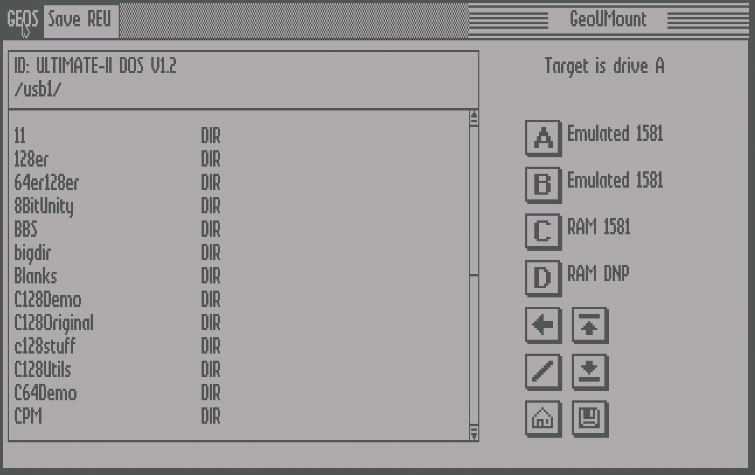
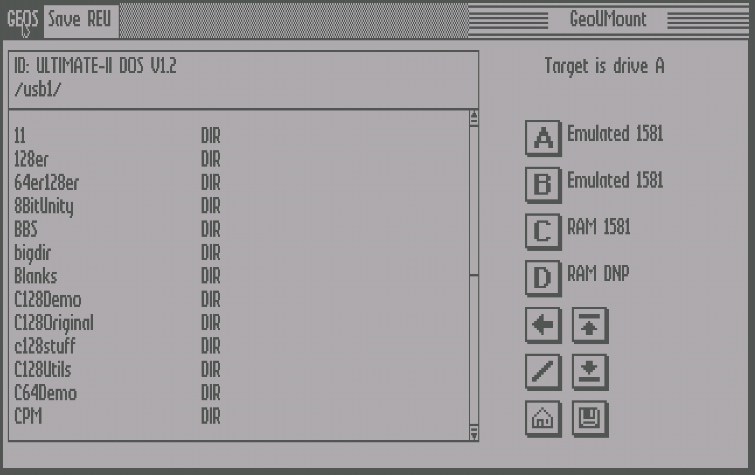
GeoUMount is the crown jewel of the suite. After launching from the GEOS desktop, it presents a graphical file browser that navigates the UII+ USB filesystem and filters the visible entries to show only directories plus disk image types matching the currently selected target drive — .D64 for 1541-type drives, .D71 for 1571-type, .D81 for 1581-type, and .DNP for RAM Native drives.
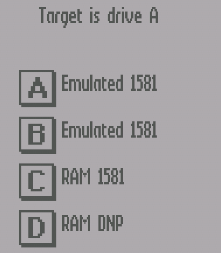
This filtering is not cosmetic: if you mount a .D64 image onto a drive GEOS believes is a 1581, GEOS loads the wrong turbo-load code for that drive type and immediately crashes. The filtering prevents this class of error entirely. Target drives A through D are shown with automatic detection of which are valid UII+ emulated drives; firmware 3.10f and newer supports full software-ID-based detection, while older firmware uses hardware IDs that can drift from GEOS's reassigned IDs, requiring manual override via GeoUConfig.
For systems with a GEOS RAM drive in REU memory — supported in distributions like Wheels and Megapatch — GeoUMount can also mount .DNP native partition images and save the current RAM drive contents to disk, up to 16MB.
GeoUTime
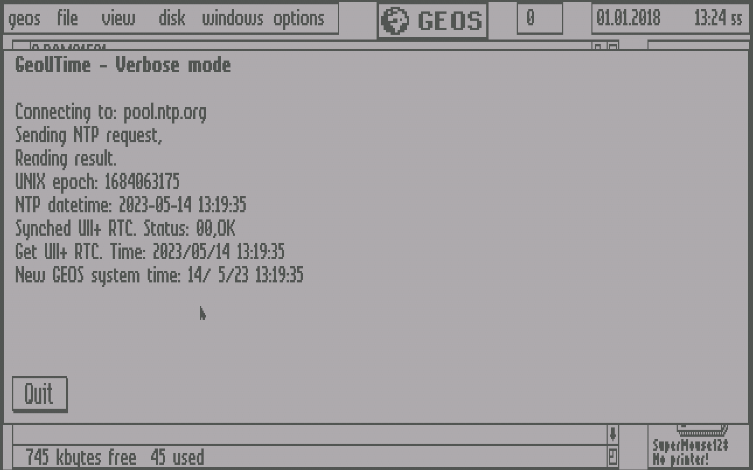
GeoUTime runs as an auto-exec application that fires silently at every GEOS boot. It connects to an NTP server via the UII+'s network interface, receives the current UNIX epoch, converts it to local time using a configurable UTC offset, sets the UII+ real-time clock to that time, and then syncs the GEOS system clock to the RTC — all before the desktop finishes loading.
In verbose mode the full sequence is shown on screen for debugging: connecting to the NTP host, sending the time request, receiving and interpreting the response, converting the epoch to local time, setting the UII+ RTC, and confirming success. In silent mode (the daily-use default) GEOS simply boots with an accurate clock. If the NTP request fails for any reason, the GEOS clock is still synced to whatever time the UII+ RTC holds as a fallback, ensuring the system time is never left stale.
GeoUConfig
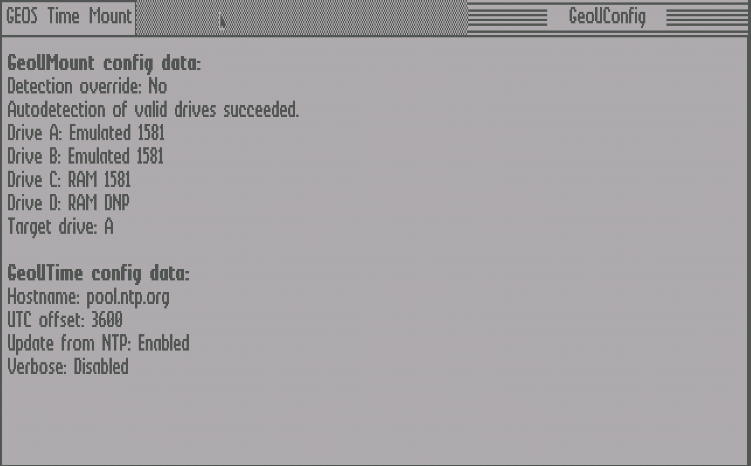
GeoUConfig ties the suite together with a GUI configuration interface built from native GEOS menus and dialogue boxes. From here you can set the NTP server hostname, UTC offset in seconds, verbose toggle for GeoUTime, drive target overrides for GeoUMount, and the default target drive — all without editing configuration files by hand. The config is saved to GeoUTimeDat on the boot disk and read automatically by both GeoUTime and GeoUMount on startup.
The UTC offset is entered in seconds (multiply hours by 3600), allowing precise configuration for any time zone including half-hour offsets and signed negative values for zones west of UTC.
Requirements and Download
GeoUTools requires an Ultimate II, II+, or II+L cartridge. Firmware 3.10f or newer gives the best experience with fully automatic drive detection. Firmware 3.xx allows automatic detection but based on hardware IDs, which may require manual override. Firmware before 3.xx requires all drive targets to be configured manually via GeoUConfig.
The suite ships as a GEOS-formatted disk image (.D64 or .D71) containing GeoUMount, GeoUTime, and GeoUConfig. Mount the image, convert the disk to GEOS format when prompted, and double-click the desired utility. Everything you need is at https://github.com/xahmol/GeoUTools.